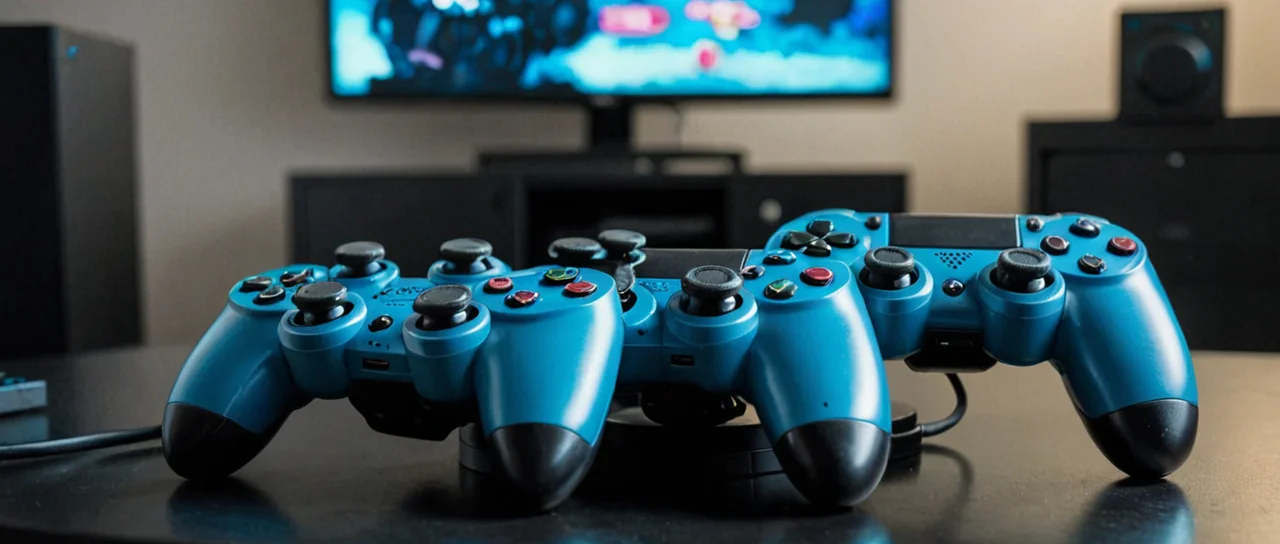
Video is an electronic signal carrying moving images, and everything that follows here — games, esports, streaming — is a variation on one problem: getting a sequence of still frames to a screen fast enough, and at a high enough rate, that a human brain reads it as motion rather than a slideshow. A game is that same pipeline with an input loop bolted on, where what you press changes what the next frame contains. Get the loop tight and the picture clean and the medium disappears; get either wrong and the player feels it before they can name it.
The frame budget is the whole design
Every game you play is solving for a time budget measured in milliseconds, and the number that matters most is frame time — how long one complete image takes to produce. A 60 frames per second target gives the machine about 16.7 milliseconds per frame to run the simulation, draw the scene, and hand it to the display; a 30 fps target doubles that to roughly 33. Anyone who has watched a frame-time graph in a diagnostics overlay has seen the real failure mode, which is not a low average but spiky variance: the game holds a steady cadence and then stalls for a frame or two when a new effect loads, and that stutter reads as jank even though the average looks fine.
Developers buy headroom in a fixed order. Resolution is the first lever, because dropping render resolution costs sharpness but scales predictably. Then draw distance and the density of background objects. Then shadow and reflection quality. Then post-processing — motion blur, depth of field, ambient occlusion — which is expensive per pixel and often the first thing a competitive player turns off, not because it looks bad but because it obscures information. Upscaling technology sits underneath all of this now: render at a lower internal resolution, reconstruct to the display's native output using temporal data from previous frames. It works well and it is not free — fast motion and thin geometry are where reconstruction artifacts show up, and a player who notices smearing on a distant enemy has found the trade-off.
The cost of chasing frame rate is visual fidelity, and the cost of chasing fidelity is responsiveness. There is no setting that gives you both on fixed hardware. The honest way to decide is to ask what the game demands of you: a shooter where you track a target across the screen rewards frames and low input latency; a narrative game with slow camera moves rewards resolution and image quality. Consoles hide this decision behind performance and fidelity modes, which is a reasonable compromise and also a reminder that the choice is real enough to be worth exposing.
Input latency is a chain, not a number
Latency is the delay between your physical action and the visible consequence, and it accumulates across every stage: the controller's polling and wireless transmission, the operating system's input handling, the engine's tick rate and render queue, the display's own processing, and finally the panel's pixel response. No single component owns the number, which is why "1ms response time" on a monitor box tells you almost nothing about how the game feels — that figure describes how fast a pixel changes color, not how long the whole chain takes.
What you can actually control, in rough order of impact: put the display in its game or low-latency mode, which usually disables extra image processing; match the display's refresh rate to what the game can sustain rather than exceeding it; disable vertical sync if tearing bothers you less than delay, or use a variable refresh display that removes the trade-off; and prefer a wired connection for a controller where the option exists. The panel type matters too — different display technologies have different baseline response behavior — but the biggest wins are settings, not purchases.
The limit of this is that latency stops being perceptible to most players well before it reaches zero, and past a certain point you are optimizing something you cannot feel. Chasing the last few milliseconds costs real money and produces a setup that is fragile and fussy. The players who genuinely benefit are the ones at the top of competitive play, where the margin between two people is small enough that the hardware difference is measurable. For everyone else, the returns flatten quickly.
How a game actually runs, and why it matters to you
A video game, in the working definition, is an electronic game in which a user interacts with images or simulated environments generated by a computer or similar device, displayed on a screen and controlled through input devices such as controllers, keyboards, or touch interfaces. That definition is deliberately broad, and the history behind it is older than most people assume: Tennis for Two, a 1958 electronic tennis game created by physicist William Higinbotham at Brookhaven National Laboratory, is widely cited by academic and historical sources as one of the first video games designed purely for public entertainment, and it was shown on an oscilloscope screen with a display measuring 5 inches across. The entire medium grew out of a laboratory instrument.
Under the surface, the loop is always the same shape. Input is sampled, the simulation updates the world state, the renderer draws that state, and the display shows it — then it repeats, many times a second. Multiplayer adds a hard problem on top: two machines disagree about the world because information takes time to travel, so the game either waits (which feels laggy) or predicts and corrects (which feels smooth until it doesn't, and you see a character snap backward). Every online game you have played has picked a point on that spectrum, and the ones that feel best are usually the ones that hide the correction most gracefully.
Understanding this changes how you diagnose problems. A game that runs badly only when other players are on screen is a rendering or network problem, not a hardware failure. A game that stutters on the first few seconds of a match is loading assets it should have preloaded. A game that feels heavy but benchmarks well is usually a display or input-chain issue, not a frame rate issue. The layer you fix depends on which layer is failing.
Choosing hardware: match the machine to the frame budget
Buy for the resolution and frame rate you will actually run, not the ones in the marketing. The useful way to think about a PC build is to pick a target — say a specific resolution at a specific refresh rate — and then work backward, because the display is the component that constrains everything else and the one people most often buy last. A fast GPU paired with a 60 Hz panel is wasted; a modest GPU paired with a high-refresh display will simply not reach the frame rates the panel can show, though variable refresh makes that mismatch far less painful than it used to be.
Consoles simplify the decision and narrow it. You get a fixed box, a performance mode and a fidelity mode in most major titles, and a closed ecosystem. The trade-off is real: less choice, fewer settings, and a hardware refresh cycle you do not control. The advantage is that the developer targets the hardware directly, so the experience is consistent in a way PC gaming rarely is. Neither is better in the abstract; they suit different tolerances for tinkering.
Storage is the quiet factor. Modern games stream large amounts of data continuously, and a slow drive produces stutter that looks like a graphics problem and is not. Peripherals are the last place to spend: a good monitor or television outlasts two or three generations of everything else, and a mouse or controller that fits your hand beats one with a higher specification sheet.
Competitive play and the esports layer
Esports is organized competitive video gaming, typically played in leagues or tournaments with structured rules, teams or individual players, and often professional-level prizes and sponsorships. The distinction that matters to a player deciding whether to get involved is between ranked play inside a game and the organized tier above it: ranked ladders are open to anyone with the game, while leagues and tournaments impose schedules, rulesets, roster registration, and often travel. The skill ceiling is not the barrier — the barrier is time and structure.
If you want to compete seriously, the practical sequence is to pick one game and stay in it long enough for its meta to become legible, then find organized amateur competition rather than grinding a ladder in isolation. Scrims against known teams teach more than anonymous matches, because you can review the same loss repeatedly with the people who caused it. The costs are honest ones: practice schedules that behave like a second job, hardware and travel expenses that amateur prize pools rarely offset, and a career window that closes earlier than in most fields. Most people who enjoy competitive games are better served by playing at a high amateur level and keeping it a hobby.
Watching is a separate skill and a separate economy. Broadcasts reward different things than play does — a viewer wants a legible narrative and a clear camera, not a first-person view of someone who is not being attacked. That gap is why professional production exists, and why a good broadcast of a game you do not play can still hold you.
Streaming and watching: the distribution layer
Twitch is a live-streaming platform focused primarily on video game and esports content, where users can broadcast gameplay, watch other players' streams, and participate in real-time chat and community features. The minimum age to have a Twitch account and stream is 13 years. If you want to broadcast, the technical requirements are modest and the constraints are not: a stable upload connection matters more than raw bandwidth, because a stream that drops frames is unwatchable regardless of how sharp the image is when it holds, and encoding settings have to be tuned to what your machine can sustain while it also runs the game.
The realistic expectation-setting is the part most guides skip. Streaming is a performance medium with a discovery problem — the platform does not owe you an audience, and the difference between a stream nobody finds and one that grows is usually consistency and a reason to watch, not production value. Spending on lighting and capture hardware before you have established a schedule and a format is the classic mistake, and it is an expensive one. Start with what you own, fix the audio first (bad audio loses viewers faster than bad video), and treat the first several months as practice rather than a launch.
The trade-off cuts both ways. Broadcasting changes how you play — you are performing for an audience while also trying to compete — and some players find their performance degrades under that split attention. Others find it sharpens them. There is no way to know which you are without trying it, and the cost of trying is low if you resist buying equipment first.
Where the decisions connect
These layers stack, and the order you address them in determines how much you spend to get a given result. Decide what you are doing — playing casually, competing, or broadcasting — before you decide what to buy, because the frame budget, the latency chain, and the hardware all resolve differently depending on the answer. A competitive player should optimize frame time and input latency and accept a softer image. A broadcaster needs stability and clean audio more than peak frame rate, because a dropped stream is a total failure and a slightly lower resolution is not. A casual player on a console has most of these decisions made for them, and that is a legitimate choice rather than a compromise.
The thing that unifies all of it is that video is a timing medium. The image on screen is always slightly in the past, the question is only how far, and every decision — resolution, refresh rate, encoder settings, network routing — is a way of spending that budget somewhere. Spend it where you will notice the loss least, and be suspicious of any specification that promises to remove the trade-off entirely, because the physics of getting frames from a processor to your eye does not allow it.